
Introduction
Look, we’ve all been there. You’re setting up your PUBG account or making a new Instagram profile, and you type in your name. It looks… fine. Just regular text. Nothing special. Then you see someone else with all these cool symbols and fancy letters, and you think, “How’d they do that?”
That’s where a stylish name generator comes in. It’s not some complicated app you need to download or anything. You just go to the website, type whatever you want, and it spits out your text in a bunch of different fancy styles. Takes like two seconds. Gamers use these all the time because having a plain username in 2025 is kind of like showing up to a party in your pajamas. Not the vibe.
This one’s pretty loaded—they’ve got 400 styles crammed in here. Sounds excessive, right? But think about it. Some days, you want your name to look tough and competitive. Other days, maybe you’re feeling more chill and want something cleaner. Or maybe you just want to throw some hearts around your name because why not? All those options are sitting there waiting.
And yeah, it works everywhere. Your PUBG clan tag, Free Fire username, Instagram bio, TikTok profile—wherever. Also works for BGMI, Discord servers, WhatsApp status, Facebook, and YouTube channel names. Basically,y if you can type text somewhere, you can use these fancy fonts there.
How to Use Our Stylish Name Generator Online
Okay, using this thing is pretty straightforward. Let me show you how it actually works instead of making it sound more complicated than it is.
Step 1 – Enter Your Text or Name
See that empty box at the top? Just click it and type whatever you want. Your name, your squad’s tag, a phrase you like—doesn’t really matter. What’s neat is that everything updates right there while you’re typing. No hitting enter, no waiting around. If you’re sitting there thinking, “What should I even type?” just hit one of those sample buttons. There’s “Hello World,” “Gaming Pro,” “Thank You”—stuff like that. They’re basically there so you can mess around and see what different styles look like. And yeah, type in whatever language you want. Hindi, Urdu, Japanese, Chinese, English—all of it works the same way.
Step 2 – Browse 15+ Categories
This is the fun part. You’ve got like 15+ different categories scattered across the page. Fancy has all the elegant cursive stuff. Gaming is where the aggressive clan tags live. Symbols throw decorations around your text. Trending shows what everyone’s using right now. There’s also Cute, Heart, Emoji—you get the picture. Now, those platform buttons at the top? Super useful. Click “Instagram,” and it filters down to styles that actually look good in bios. Hit “PUBG”, and you get the heavy-duty gaming styles. Works the same for Free Fire, Discord, TikTok, and Facebook. Saves you from scrolling through stuff you’re never gonna use anyway.
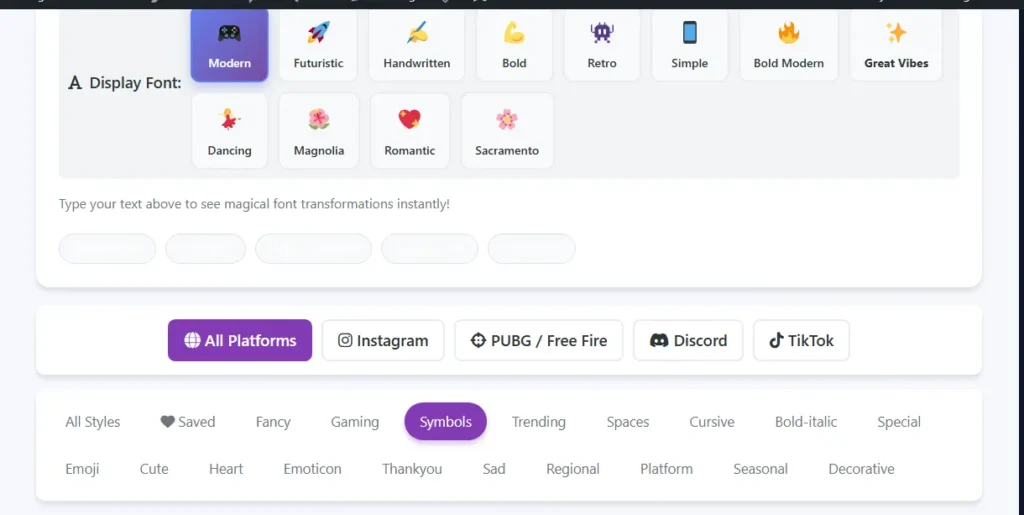
Step 3 – Select Display Font Style
Those 12 little buttons with the emojis? They change the whole look of everything. Click “Modern” and your text gets that sleek vibe. “Futuristic” makes it look all sci-fi. “Handwritten” is more personal and flowy. “Bold” makes everything thicker and stronger. “Retro” gives it that old-school arcade feel. Honestly, sometimes a style looks just meh until you switch one of these fonts, then suddenly it clicks. Worth experimenting with for sure.
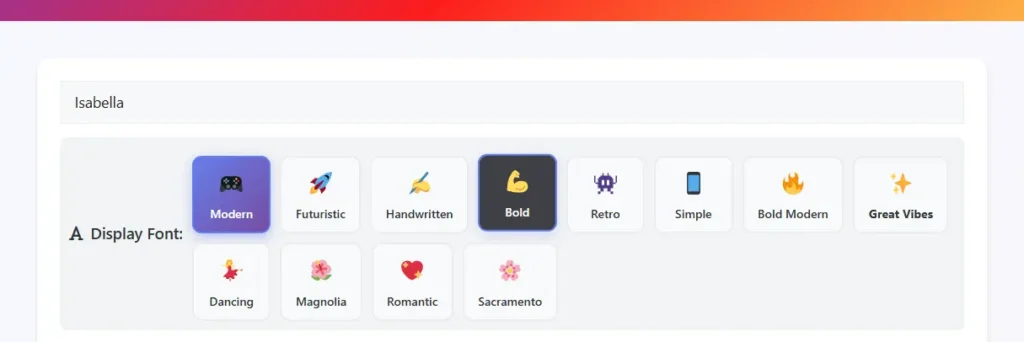
Step 4 – Copy and Paste Your Stylish Name
Found one you like? Click the copy button next to it. That’s literally it. Now go paste it in PUBG Mobile, Free Fire, your Instagram bio, TikTok username, WhatsApp status—wherever you need it. Pro tip: if you really dig a certain style, hit that little star next to it. Saves it to your favorites so you don’t have to hunt for it again next time you’re here. Because scrolling through 400 styles twice? Nobody’s got time for that.
What is a Stylish Name Generator?
Look, it’s not rocket science. You type your name, and the website spits out a bunch of fancy versions. That’s basically what a stylish name generator does. Gamers use it because nobody wants to be “Player_47” when they could be “『ᴘʟᴀʏᴇʀ』47” instead. Instagram users like it because a bio with fancy text and symbols just feels different from plain typing. We all want our stuff to look cooler, that’s human nature.
The behind-the-scenes part is kinda interesting though. Why do these fancy letters actually work when you paste them in places? It’s because of Unicode. Okay, so like, how your keyboard has regular A through Z? Well, Unicode is this huge library of characters that goes way beyond that. We’re talking weird letters from other languages, mathematical symbols, ancient alphabets nobody uses anymore—tons of stuff. This tool swaps your normal letters for these fancy Unicode characters. That’s why “Sarah” can become “𝓢𝓪𝓻𝓪𝓱” or “丂卂尺卂卄.” Different characters, not just a different font.
Here’s the thing most people don’t get. When you change your font in Word to something fancy, that’s still regular letters with a font applied. These stylish names? They’re actually different letters. That’s the whole reason they work in PUBG or Instagram, where you can’t normally change fonts. You’re not changing fonts—you’re using different characters that already look fancy.
Why bother with all this? In PUBG Mobile or Free Fire, you blend in with a regular name. With a stylish one, people actually remember who killed them. On Instagram or TikTok, it’s the difference between a profile that looks thrown together versus one that looks intentional. Small thing, but it matters.
What makes this particular generator worth using? Well, you’re not staring at a loading screen every time you type a letter. It just works instantly. Most generators have maybe 30 styles if you’re lucky. This one’s sitting at 400+. And instead of dumping all of them on you at once, there are 35+ categories to browse through. Plus, those platform filters actually make sense—click what you’re using it for and only see relevant styles. Saves a ton of time.
500+ Stylish Font Styles – Complete Category Guide
Alright, let me actually walk you through what’s sitting in this thing. There are over 500 styles crammed in here, which sounds ridiculous until you realize how many different vibes people are going for. They split everything into categories so you’re not just drowning in options.
Fancy Fonts & Elegant Styles
This is your “I want to look good but not try too hard” section. Bold (𝐁𝐨𝐥𝐝) just beefs up your letters. Makes them thicker and harder to miss. Italic (𝘐𝘵𝘢𝘭𝘪𝘤) slants everything to the right—looks professional, kind of magazine-ish. Script (𝓢𝓬𝓻𝓲𝓹𝓽) gets all cursive and flows as if someone wrote it with a fountain pen.
Medieval looks exactly like you’d think—old English, manuscript style. For complete medieval names with historical authenticity, we have a specialized generator. Fraktur is similar but more aggressive, kind of gothic and heavy. Double Struck has this textbook math quality that’s hard to describe, but you know it when you see it.
None of these are jumping up and down screaming, “Look at me.” They’re just nicer than regular text. Works great for YouTube channel names when you don’t want to look like a teenager. Instagram usernames, when elegant is the vibe you’re after. Basically, anywhere you need to seem like you have your life together.
Gaming Fonts – PUBG, Free Fire & BGMI Stylish Names
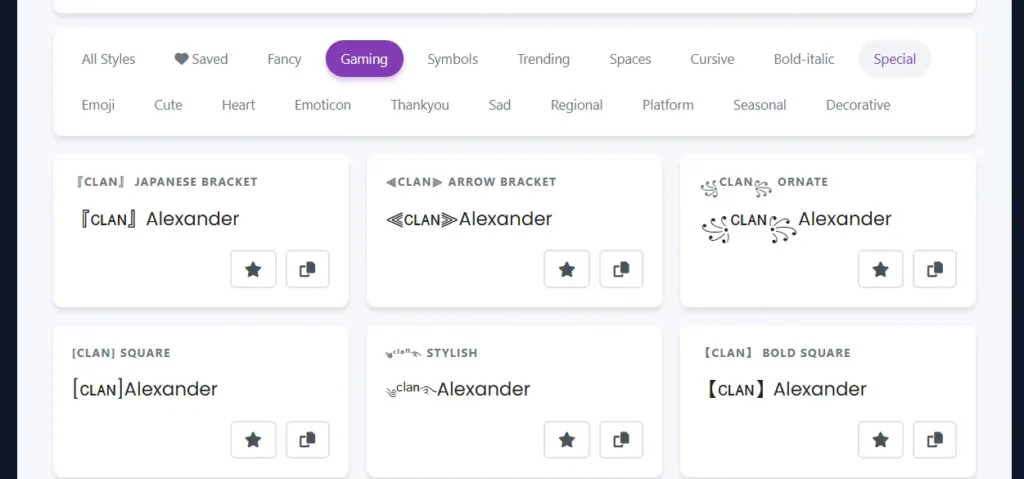
Okay, so this is the category that matters if you game. Fifty different styles because gamers are picky as hell about usernames. These aren’t random either—these are formats people actually use in competitive gaming. If you need aggressive warrior-style names for your gaming profile, these formats deliver that intimidating presence.
『Clan』 with the Japanese brackets? You’ve seen this a million times in PUBG lobbies. ꧁༒☬Legend☬༒꧂ is probably in every third match you play. I’m not even exaggerating—log in right now and count how many variations of this you see. ༄ᶦᶰᵈ᭄King࿐ blew up with Indian players, and now it’s everywhere. That tiny “ind” up top became its own whole thing.
Free Fire players do their own spin on it. 【FF】 slapped before your name is standard at this point. Everyone knows what it means. 彡Name彡 gives your text that wavy, flowing look. And my personal favorite—▄︻デ══━一—which is literally a sniper rifle made out of characters. Like, come on. That’s just objectively sick.
BGMI is basically PUBG with a different name, so yeah, everything here works fine. Mobile Legends players use this stuff. Call of Duty Mobile. Any game where you want opponents to see your name and think, “Oh great, this person’s gonna wreck me.” Your username shows up before your skills do, so you might as well set expectations high. For players who prefer a more mysterious approach, stealthy rogue names can add that shadowy, tactical edge to your gaming identity.
Symbols & Decorations with Emoji
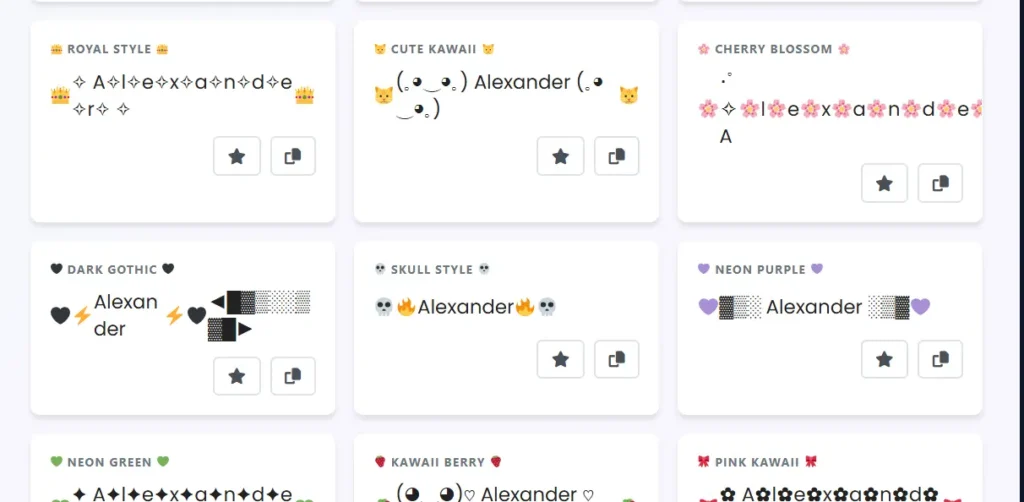
This isn’t just a dump of emojis and symbols saying “figure it out yourself.” Fifty actual styles are showing you how to combine this stuff with your text without looking like you let your little cousin decorate your profile.
You’ve got stars (✦ ⭐), hearts in every flavor (❤ 💖), fire emojis (🔥), crowns (👑), lightning bolts (⚡), diamonds (💎), sparkles (✨), and target symbols (🎯). All the classics. But the important part is the styles show you placement. Where do these actually go? Before your name? After? Between each letter? Wrapped around the whole thing?
Because “⭐Alex⭐” looks fine. “A⭐L⭐E⭐X” is a completely different energy. “✦⭐Alex⭐✦” is yet another vibe. This category just gives you forty-eight more variations on that theme, so you can find what actually works for you.
Gaming names with decorations get remembered more. That’s just facts. Social media profiles too—someone’s scrolling their follow suggestions, decorated names catch their eye faster. Just don’t go nuts, or you’ll look like an emoji store exploded on your profile.
Trending & Aesthetic Styles for TikTok & Instagram
This section is trying to keep up with whatever’s hot right now, which is basically impossible because internet trends have the lifespan of a mayfly. But they try.
Vaporwave (vaporwave) is that super spaced out text that looks kinda Japanese. Y2K borders are all about bringing back early 2000s aesthetics—apparently, Gen Z thinks flip phones and chunky highlights were peak culture. Sure, why not?
Here’s where it gets weird, though. They actually built styles around how people talk online right now. Like you can format your name with “no cap fr fr” worked into it. “it’s giving ✨” as part of the style. “slay 💅” because that’s a full personality trait, no,w I guess.
Emoticons are massive in this section. (。◕‿◕。) Is that cute smiley face everyone copies? ʕ•ᴥ•ʔ is the bear. ( ͡° ͜ʖ ͡°) It is Lenny face, which is either immediately recognizable or completely foreign to you, depending on how much time you spend online.
TikTok usernames love this stuff. Instagram bios eat it up. Snapchat too. The whole “my profile is carefully curated” aesthetic that’s huge right now relies on this kind of formatting.
Cute & Kawaii Styles for Girls
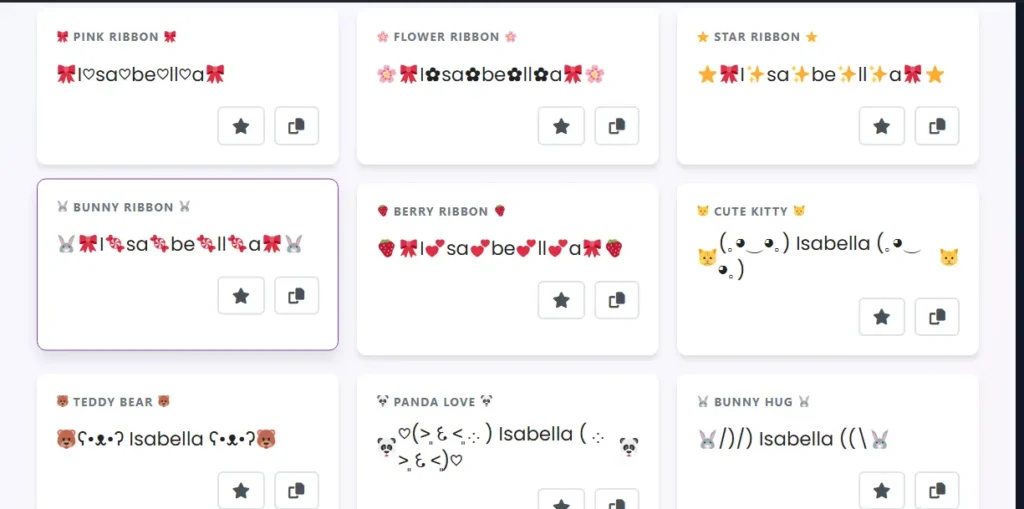
Not gonna lie, this section is tooth-rottingly sweet. Ribbons (🎀), flowers everywhere (🌸 🌷), hearts in every possible configuration (💕). All paired with soft, gentle fonts. There are little animal emoticons mixed in—bunnies (🐰), kitties (🐱), teddy bears (🧸). The entire pink and pastel color scheme that half of Instagram runs on. For magical fairy names with enchanting aesthetics, try our fairy-themed generator.
Girl gamers use this way more than you’d think. Not everyone wants their username to look like a threat. Sometimes you just want something pretty. Works amazingly for Instagram when you’re going for romantic vibes. WhatsApp statuses. Anywhere you want people’s first impression to be “oh that’s sweet” instead of “oh that’s intimidating.”
Cursive & Calligraphy Fonts
This is fancy fonts but fancier, if that makes sense. You’ve got a script (𝒮𝒸𝓇𝒾𝓅𝓉) that looks like actual handwriting with a nice pen. Bold script (𝓑𝓸𝓵𝓭 𝓢𝓬𝓻𝓲𝓹𝓽) does the same thing but heavier. Italic script (𝘐𝘵𝘢𝘭𝘪𝘤 𝘚𝘤𝘳𝘪𝘱𝘵) flows even more, really leans into that handwritten feeling.
These just feel more grown-up than other options. Good for wedding announcements. Artistic YouTube channels. Any situation where “sophisticated” matters more than “noticed.” Because yeah, sparkly decorated names get attention. But sometimes a clean cursive script says more than a hundred fire emojis ever could.
Special Effects & Unique Text
Okay, this is the weird experimental corner where normal rules don’t really apply. Circled letters (ⓐⓑⓒ) put little circles around each character. Squared text (🅰🅱🅲) boxes them in. Bubble text makes everything look soft and puffy.
Then there’s the really odd stuff. Upside-down text literally flips your words backwards and upside down. Great for messing with people. Subscript and superscript shrink text and move it up or down—that scientific paper look. Full-width (abc) spaces everything out way more than normal typing. Makes your text breathe more.
And zalgo text. Oh man. That’s the glitchy, corrupted nightmare look where extra characters are scattered above and below your letters. Looks genuinely broken. Not everyone’s cup of tea, but when you want something nobody else has? Zalgo’s your friend.
Discord people are all over this category. Anyone tired of seeing the same gaming clan tags over and over? It’s not practical for everything—good luck reading full paragraphs in bubble text—but for usernames, where uniqueness matters more than readability? Perfect.
Seasonal & Celebratory Themes
Why should your profile look identical in December and July? This category gets that seasonal vibes are a thing.
Birthday decorations with 🎂🥳. Christmas themes (🎄🎅). New Year celebration looks (🎆). Diwali styles with lamps (🪔). Eid Mubarak themes (🕌☪️). Valentine’s Day with hearts everywhere (💕). Graduation stuff. Anniversary designs. General festival vibes for whenever there’s something worth celebrating.
Nobody’s saying keep the Christmas theme up year-round—that’d be weird. But during actual December? Yeah, switching your profile to match makes sense. Event announcements. Temporary username changes for special occasions. It’s the digital equivalent of decorating your house for holidays.
Regional & Cultural Styles
Here’s what bothers me about most stylish name generators—they act like English is the only language that exists. This one actually tries.
Hindi styles (हिंदी) with decorations that work with the Devanagari script. Urdu fonts (اردو) that respect how that calligraphy actually flows. Asian character transformations (卂乃匚). Looking for Korean name variations with Hangul styling? Check out our dedicated Korean name tool. Japanese-style text (カタカナ). Arabic calligraphy options that look intentional. Chinese character aesthetics. Japanese-style text (カタカナ). If you want authentic Japanese names with proper cultural styling, we’ve got specific tools for that, too.
These aren’t half-baked either. They’re designed specifically to make non-English text look as polished as English gets in all the other categories. Huge if you want to show cultural pride. Regional identity. Or just make a multilingual profile that doesn’t look like you gave up halfway through.
Best Stylish Names for Popular Platforms
Look, not every stylish font works on every platform. Some places are picky about what characters they accept, and others have weird length limits. Let me break down what actually works where.
Instagram Stylish Name & Bio Fonts
Instagram’s pretty flexible with fancy fonts, which is why everyone’s bio looks decorated these days. You can use most Unicode characters in both your username and bio, though your actual username has more restrictions than your display name.
Instagram’s bio is where you can really go wild. Character limit is 150, which sounds like a lot until you start adding decorations. Then it disappears fast. Here’s what actually looks good:
✨ 𝒴𝑜𝓊𝓇 𝒩𝒶𝓂𝑒 ✨ – Classic sparkle wrap, never goes out of style 💎 ᴇʟɪᴛᴇ 💎 – Small caps with diamonds, clean and bold ⋆。°✩ Aesthetic ✩°。⋆ – Peak Instagram aesthetic vibes
Your bio font matters more than you think. People make snap judgments. A styled bio makes you look like you actually care about your profile instead of just throwing something together. Does it increase followers? Directly? No. But it makes people more likely to stick around and read what you wrote, which helps.
Best categories for Instagram are Aesthetic (obviously), Symbols for decorating, and Cursive for that elegant, flowing look. Avoid anything too heavy or cluttered—Instagram’s about visual appeal, and a messy bio works against you.
PUBG Mobile & BGMI Stylish Names
PUBG and BGMI are basically the same when it comes to what characters work, so if it functions in one, it’ll function in the other. Most Unicode works fine, but there are some characters that look perfect in the generator and then completely break in-game. It’s annoying, but you learn which ones through trial and error.
Clan tags are huge in PUBG. Your tag tells people who you run with before the match even starts. Pro players have their own styles that everyone copies—Dynamo’s clean look, Mortal’s aggressive decorations, Scout’s minimalist approach. They all work; it just depends on what message you’re sending.
Here’s what actually shows up correctly in lobbies:
꧁༒☬Killer☬༒꧂ – The most copied format in PUBG history, still works ༄ᶦᶰᵈ᭄Legend࿐ – Indian pro style, massive in Asia servers 『ᴘʀᴏ』Name – Simple clan bracket, gets the point across ▄︻デ══━一 Sniper – ASCII sniper rifle, intimidating as hell
Changing your name costs a rename card in PUBG. You get one free, then you’re paying UC or grinding events. So test your name in the generator first, copy it somewhere safe, then paste it when you’re sure. Don’t waste your rename card on something that displays as question marks.
BGMI works identically. Same character support, same rename system. If you’re switching between the two, your stylish name carries over fine.
Free Fire (FF) Stylish Names & Guild Tags
Free Fire has its own vibe going on. The community developed styles that are different from PUBG’s, even though they’re both battle royale games. FF names tend to be shorter and punchier.
Guild names are a whole thing in Free Fire. Your guild tag shows up everywhere, so teams coordinate their styles. Everyone matching looks way more organized than random individual names.
Top FF styles that actually work in-game:
ғғ】Elite – Classic FF bracket, everyone knows what game you play. 彡ProGamer彡 – Those wavy characters frame your name perfectly. ꧁༺Legend༻꧂ – Gothic brackets, popular with competitive players
Free Fire’s character limit for names is shorter than PUBG’s. You’ve got less room to work with, so go for impact over complexity. A simple, decorated name beats a cluttered mess every time.
Changing your name in FF costs diamonds or a name change card from events. Same deal as PUBG—test first, commit second. Copy your styled name to notes before pasting it in-game.
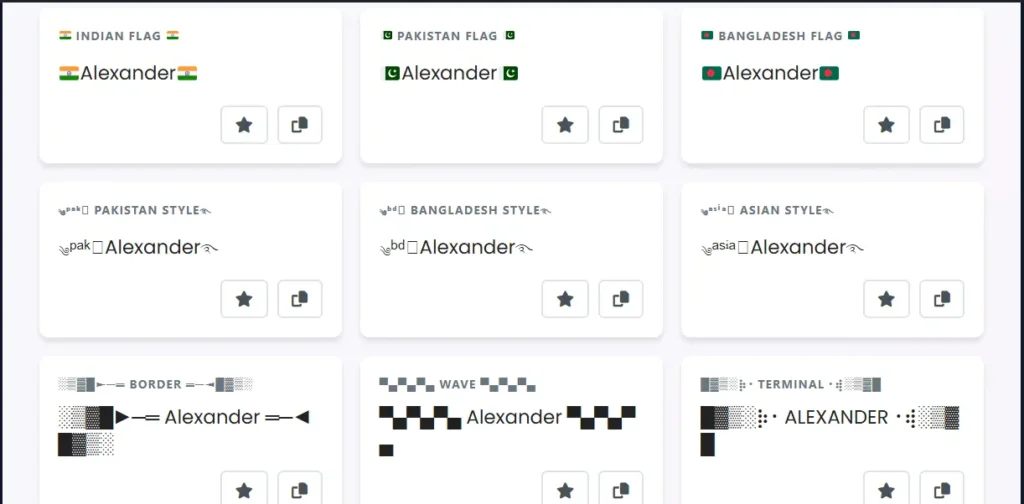
Discord & Gaming Community Names
Discord’s weird about stylish fonts. Some work perfectly, others display as blank boxes depending on what device people are viewing from. The platform itself supports Unicode fine, but you’re limited by what fonts people have installed.
Stick to characters that work across devices. The fancy script fonts usually display correctly. Heavy decorations with tons of symbols can break on mobile. Server roles can be styled too, which is cool for organizing communities, but keep them readable. Nobody wants to squint at their role list.
Gaming communities on Discord love matching name themes. Clan members all use similar styles, color roles coordinated with styled text. It’s about building identity. Just make sure whatever you pick actually shows up for everyone, not just you.
TikTok Stylish Name & Bio Generator
TikTok’s algorithm cares about searchability. If your username is pure symbols and decorative fonts, nobody can find you by searching. Balance is key—keep your actual username simple and searchable, go wild with your display name and bio.
Trending TikTok aesthetics change every few months. Right now, it’s a lot of Y2K throwback styles, soft aesthetics with sparkles, and that whole “main character energy” thing. By the time you read this, it’ll probably be something else entirely.
Your bio needs to be instantly readable on mobile. TikTok’s a phone-first platform, so test how your styled text looks on a small screen. If it’s hard to read, it’s not working regardless of how pretty it looks on a desktop. If you love creative text designs, try our Free Ambigram Generator to create words that read the same upside down — perfect for tattoos and unique logos.
Snapchat Stylish Name & Display Name Generator
Snapchat splits your identity into a username (permanent, can’t change) and a display name (changeable whenever). Your display name is where stylish fonts come in because that’s what friends actually see.
The display name limit is only 15 characters. That’s tight. Really tight. You’re not fitting long phrases with decorations. Keep it short and make every character count.
What works on Snapchat:
✨ 𝓢𝓷𝓪𝓹 𝓠𝓾𝓮𝓮𝓷 ✨ – Cursive with sparkles, fits the 15 character limit barely 👻 ꧁Ghost Mode꧂ – Plays into Snapchat’s ghost theme 🌟 ˢⁿᵃᵖᶜʰᵃᵗ ˢᵗᵃʳ 🌟 – Superscript keeps it compact 💫 S͜͡n͜͡a͜͡p͜͡ 💫 – Special underline effect, different vibe
Best categories for Snapchat are Aesthetic stuff, Cute styles, Symbols, and Emoji combinations. Your display name should match your personality because that’s literally how friends identify you in their list.
Story text can be styled too. Most people don’t bother, but adding fancy fonts to your daily snaps makes them stand out. Just keep it readable—nobody’s pausing a story to decode your font choices.
WhatsApp, Facebook & YouTube Channel Names
These three platforms all handle stylish text differently, and they’ve all got their own weird limitations.
WhatsApp status is only 25 characters, which is brutal if you’re trying to be creative. Most fancy fonts eat up characters fast. Keep it simple, or it won’t fit. Profile names have more room but still stay under 25 for consistency.
Facebook allows 50 characters for profile names, but here’s the catch—they’re picky about what they consider a “real name.” Too many symbols, and they might flag you for review. Stick to mostly text with light decorations if you’re using your real account.
YouTube channel names also cap at 50 characters. For gaming channels, stylish names help you stand out in suggested videos. For vlogging or education, clean, readable text usually works better than heavy decorations. Know your audience.
Cross-platform compatibility is real. If you want the same styled name everywhere, test it on your least flexible platform first. What works on Instagram might break on Facebook. What looks great on Discord might not display on WhatsApp. Find the common denominator and build from there.
Top Tools & Unique Features of Our Stylish Name Generator
Alright, let’s talk about what actually makes this generator different from the hundred other ones you could Google right now.
Live Preview Technology is probably the biggest thing. You’re not typing your name, hitting generate, waiting three seconds, then seeing results. Nah. Type a letter and boom—every single style updates instantly. No delays, no loading spinners. Just real-time transformations as your fingers hit the keyboard. Sounds basic, but most generators still make you click a button like it’s 2010.
The One-Click Copy Button is sitting right next to every style. You don’t highlight the text, right-click, and select copy. Just hit the button. Done. It’s in your clipboard. Paste it wherever. There’s even a little notification that pops up so you know it worked. Small thing, saves tons of time when you’re trying out twenty different styles.
Smart Platform Filters at the top change everything. Click “Instagram,” and suddenly you’re only seeing styles that actually look good in bios. Hit “PUBG” and all the gaming clan formats pop up. Free Fire, Discord, TikTok—they each filter down to what works on that platform. No more scrolling through cute heart styles when you need something aggressive for gaming.
15+ Organized Categories means you’re not just staring at a wall of 500 random styles. Everything’s sorted—Fancy, Gaming, Symbols, Trending, Cute. Want cursive? There’s a whole section. Need seasonal stuff for Christmas? That’s separated too. Actually makes the huge number of options manageable instead of overwhelming.
12 Customizable Display Fonts change how everything looks without changing the actual Unicode style. Modern makes it clean. Futuristic adds that techy edge. Handwritten gives it personality. Bold beefs it up. Retro brings arcade vibes. Romantic adds elegance. Playing with these sometimes turns a style from “meh” to “perfect” just by switching the display font.
Favorites System lets you star styles you like. They all save to a “Saved” category so you can come back later without hunting through everything again. Because let’s be real—you find three styles you love, forget to save them, then spend twenty minutes trying to remember which ones they were. The star button fixes that.
Sample Text Inspiration buttons give you something to work with if you’re just exploring. “Hello World,” “Love You,” “Gaming Pro,” “Thank You”—click any of them and see how they look in different styles. Helps when you’re browsing but haven’t committed to what text you actually want yet.
Mobile Optimized means it works just as well on your phone as on your computer. No weird formatting issues, no microscopic buttons you can’t tap. Android, iOS, tablets—all of them work fine. Most people are doing this from their phones anyway while setting up game profiles or updating Instagram.
100% Free Forever—no catch. You don’t make an account. No email required. No “5 free styles then pay us.” Unlimited use. Every style is available to everyone. Because charging money to convert text to Unicode is kind of absurd when you think about it.
Dark Mode Compatible isn’t something you toggle. It just follows whatever your system’s set to. Using dark mode on your device? The site loads in dark mode. Light mode? Site’s light. One less thing to configure.
Multi-Language Support actually works. Type Hindi and the styles adapt to the Devanagari script properly. Urdu maintains its flow. Japanese, Chinese, Arabic—they all transform correctly instead of breaking. Most generators just… don’t handle this at all. This one does.
Royal Stylish Name Generator – Premium Examples
Some names just hit different. They’re not trying to be cute or aggressive—they’re going for that premium, high-status vibe. Here’s what royal-tier styling actually looks like.
Gaming Elite Names
When you want people to know you’re not some casual player:
꧁༒☬𝕂𝕚𝕟𝕘☬༒꧂ – The full royal treatment. Gothic brackets, skull symbols, bold blackboard font. Every lobby has that one player with a name like this dropping 20 bombs while everyone else is still looting. Need menacing villain names that strike fear? We’ve got you covered. It’s the standard PUBG stylish name for anyone who’s been grinding since day one.
👑 ℝ𝕠𝕪𝕒𝕝 👑 – Simple crown wrap with double-struck font. You don’t need five symbols when two crowns say everything. Clean setups hit hardest when your stats back them up.
༄ᶦᶰᵈ᭄Emperor࿐ – That Indian pro player style mixed with royal terminology. Walk into any Free Fire match, and you’ll spot three variations of this in the first minute. It’s not just a Free Fire stylish name trend—it’s basically its own language now across mobile gaming.
These aren’t for throwaway accounts. These are for your main, where you’ve got the skills to match the name.
Romantic & Love Names
💕 𝓛𝓸𝓿𝓮 💕 – Classic script, two hearts. You see this everywhere, from couple accounts to 3 am relationship posts. Simple, but it works every time.
♡彡 ℍ𝕖𝕒𝕣𝕥𝕤 彡♡ – Those wavy characters frame it perfectly. Instagram stylish name energy without screaming “look at us” too loud.
🌹❤️ Romance ❤️🌹 – When subtlety’s not the goal. Valentine’s, anniversaries, random Tuesdays when you’re feeling sappy—works for everything.
Not every profile needs edge. Sometimes you just want warm vibes, and that’s fine.
Professional & Elegant
𝓔𝓵𝓮𝓰𝓪𝓷𝓽 – Pure script, zero extras. The font does all the work. That sweet spot between formal and creative is harder to nail than it looks.
𝕻𝖗𝖔𝖋𝖊𝖘𝖘𝖎𝖔𝖓𝖆𝖑 – Medieval style that commands respect without trying. These stylish name generator fonts have centuries of history, and people pick up on that weight even if they can’t explain why.
✧ 𝒮𝑜𝓅𝒽𝒾𝓈𝓉𝒾𝒸𝒶𝓉𝑒𝒹 ✧ – Elegant but approachable. The sparkles show there’s a real person behind the account, not some bot posting at 9 am daily.\
Works great for educational channels, lifestyle bloggers, and anyone building a brand with personality.
Trendy Fashion Brand Style Names
✨ 𝔽𝕒𝕤𝕙𝕚𝕠𝕟𝕚𝕤𝕥𝕒 ✨ – Bold double-struck font with sparkles. The kind of name influencers with 100k use. Fashion brands spent decades training us to recognize these cues—this gives you luxury vibes without the price tag.\
💎 𝕃𝕦𝕩𝕦𝕣𝕪 💎 – Diamond emojis flanking bold text. Zero subtlety, pure luxury energy. When your whole thing is high-end aesthetics, why hide it? Just own it.
Fashion lives and dies by aesthetics. Your username does work before you’ve posted a single photo.
Unicode & Technology Behind Stylish Font Generator
Ever wondered how a stylish font generator actually works? It’s not magic—it’s Unicode doing the heavy lifting.
What is Unicode, and how does it create fancy text
Unicode is a massive catalog of every character from every writing system humans have invented. Letters, symbols, emojis, math stuff, ancient scripts—everything’s in there. The text you’re reading? That’s Unicode too, just the boring basic alphabet we use daily.
Here’s the thing—Unicode also has mathematical alphanumeric symbols that look like fancy fonts. Script characters, bold variations, double-struck letters, all sitting there ready to use. When this generator transforms your text, it’s not applying fonts. It’s swapping regular letters for fancier Unicode versions. “Hello” becomes “ℍ𝕖𝕝𝕝𝕠” because those are different characters entirely, not some font your device downloads.
How stylish fonts work across different platforms
Unicode is universal. Instagram, PUBG, Discord, TikTok, WhatsApp—every platform supports it because it’s how text works now. When you paste a stylish name into your PUBG profile or Instagram bio, you’re not installing anything. You’re using characters already in your phone. That’s why this works everywhere without permissions or special formatting.
Why do some characters display as boxes on certain devices?
Sometimes you get empty boxes instead of fancy letters. That’s your device not having the fonts to render that Unicode character. Older phones are usually the problem—they support Unicode, but their font libraries are outdated because manufacturers stopped updating them years ago. It’s like a dictionary missing words. The character exists, your device just doesn’t know what it looks like. Modern devices handle common, stylish characters fine, but really decorative ones might not show on old Androids or budget phones.
Browser and device compatibility
Chrome, Safari, Firefox, Edge—modern browsers handle Unicode perfectly. iPhones have the best support because Apple updates fonts with every iOS release. Android varies by manufacturer and age. Samsung and Pixel phones? Perfect every time. Budget brands with no updates? Hit or miss, but popular characters usually work.
Platform-specific rendering differences
Instagram, PUBG, and Discord support Unicode but render it differently. Instagram’s rendering is clean and crisp. PUBG Mobile makes some characters different sizes because of UI optimization. Discord adds font smoothing that softens edges. Same characters, slightly different appearance. Your stylish name for FF might look bolder in-game than in settings.
Safety: No downloads required, works directly in the browser
Runs entirely in your browser. No downloads, no installations, no apps asking for permissions. Type, convert, copy, done. No server storing your info. Everything happens locally on your device, works offline once loaded. Just instant text transformation, no sketchy downloads.
Technical note: These are Unicode characters, not actual font files
You’re not changing fonts—you’re swapping characters. Not applying Comic Sans like in Word. Replacing “A” with “𝔸”, which is a different character that looks fancier. Works everywhere because you’re using universal characters every device supports, not fonts people need installed. It’s being a different person versus wearing a disguise. One’s temporary, the other’s fundamentally different.
Tips for Creating the Perfect Stylish Name for Games & Social Media
Making a stylish name isn’t just about picking the fanciest font and calling it done. Here’s what actually matters when you’re trying to create something that works.
Readability First: Don’t overuse symbols – balance style with clarity
Look, we’ve all seen those names with like fifteen different symbols wrapped around three letters. They look cool for half a second, then you realize nobody can actually read the damn thing. Balance is everything here. Your name should be stylish but not require a decoder ring to figure out what it says. If people can’t tell what your name is at first glance, you’ve gone way too far with it. Two or three symbols max, keep the actual letters readable. The whole goal is standing out from the crowd, not making people squint at their screens for thirty seconds trying to figure out if that’s supposed to say “Dragon” or “Dra9on” or something else entirely.
Match Your Personality: Gaming = aggressive, Instagram = aesthetic, professional = elegant
Different vibes need completely different styles. Gaming names can be aggressive as hell—skulls, lightning bolts, bold fonts that scream intensity and competition. Instagram’s more about that aesthetic appeal—soft scripts, hearts, flowers, things that look good photographed in your bio.
Professional accounts? Keep it elegant and clean, nothing over the top. You wouldn’t use ꧁༒☬𝕂𝕚𝕝𝕝𝕖𝕣☬༒꧂ for your LinkedIn profile, right? That’d be insane. Match the energy to where you’re actually using it. A PUBG stylish name needs completely different energy than what works for a cooking blog or photography account
Platform Limitations: Test on the target platform before committing
This is huge, and people skip it all the time—test before you commit to anything. Don’t create some elaborate Free Fire stylish name, change all your social media to match it, then discover half the characters show up as empty boxes in the actual game. Copy your new name, paste it into the platform you’re actually gonna use it on, and see how it genuinely looks in context. Different platforms render Unicode differently, and some are pickier than others. What looks absolutely perfect in the generator might look weird in Discord or completely broken in PUBG Mobile.
PUBG Tips: Avoid characters that show as boxes in-game
PUBG Mobile is notorious for showing certain Unicode characters as empty boxes instead of the actual symbols. The really decorative symbols and rare characters? Fifty-fifty chance they actually work in-game. Test your name in the game’s settings menu before you finalize anything. Stick to the more common stylish fonts—double-struck, script variations, bold versions. Those usually render fine without issues. The super fancy ornamental brackets and rare regional symbols? That’s where you run into the box problem every single time. If you see boxes during testing, swap those specific characters for simpler alternatives that actually display.
Free Fire Tips: Keep under character limit, test guild compatibility
Free Fire’s pretty strict about character limits compared to other games. You’ve got twelve characters maximum, and here’s the kicker—some Unicode characters actually count as two characters in their system. Test in-game first before you get attached to anything. Also, check guild compatibility—some stylish fonts that work perfectly fine for your personal name completely break when you try using them in guild tags. The game handles them differently for some reason. Your stylish name for FF needs to work both solo and in guild format; otherwise, you’ll have problems later.
Instagram Tips: Bio-friendly fonts, searchable username
Instagram’s tricky, and people mess this up constantly. Your actual username (the @handle people search) can’t use fancy fonts at all—just regular letters, numbers, underscores, periods. That’s it. But your display name in your bio? Go absolutely wild with that. That’s where all the stylish fonts live and work. Make your display name fancy for the aesthetics, keep your @handle simple and normal so people can actually search and find you without issues. Nobody’s gonna remember how to type ✨𝔽𝕒𝕤𝕙𝕚𝕠𝕟𝕚𝕤𝕥𝕒✨ into Instagram’s search bar. Your Instagram stylish name goes in the bio, searchable handle stays completely normal.
Character Limits by Platform:
Know your limits before you even start designing anything:
PUBG Mobile: 12-14 characters recommended (technically allows more, but gets cut off in the UI)
Free Fire: 12 characters maximum, hard limit, no exceptions
Instagram: 30 characters for username, 150 for bio display name
TikTok: 24 characters for display name
Discord: 32 characters for username
Snapchat: 15 characters for display name
Some platforms count certain Unicode characters as multiple characters in their system. Always check the actual count.
Test Before Committing: Use the favorites feature to compare options
Use the favorites feature to save multiple different options you’re considering. Create like five different versions of your name, save them all, paste them into your actual platform, and see which one genuinely looks best in real context. What looks amazing in the generator might look completely different against your profile picture or in the game’s specific UI. Compare them side by side in the actual environment before making the final call on which one to use.
Uniqueness: Combine multiple styles for one-of-a-kind names\
Don’t just use one preset style exactly as it appears. Mix different elements. Take a script font for your actual name, add specific symbols that match your personal vibe, maybe throw in one emoji that actually represents you or what you’re about. Combining different elements makes your name genuinely unique instead of being the fifteenth person with the same ꧁༒☬ brackets everyone else just copied without thinking.
Avoid Trending Overuse: Popular formats get copied quickly
That ༄ᶦᶰᵈ᭄ format everyone uses? It was actually unique, like two years ago. Now there are literally thousands of people using it or slight variations. Trending formats get copied to absolute death within just a few months of going viral. If you see a specific style showing up everywhere in lobbies or on your feed, maybe put your own spin on it instead of copying it exactly like everyone else. You want to stand out from the crowd, not blend into a sea of identical names.
Cultural Sensitivity: Be respectful with regional style choices
Some Unicode characters have actual cultural or religious significance. Don’t just slap random Chinese characters or Arabic script into your name because they look cool if you have zero idea what they actually mean. Stick to decorative symbols and the stylish alphabet variations that are meant for this. Using actual language characters from cultures you’re not part of can come off really disrespectful or just straight up ignorant.
Check Availability: Search if the name is already taken on the platform
Before you fall in love with a specific name combination, actually check if it’s available on your platform. Search it, see if someone’s using it or something super similar already. Nothing worse than spending time creating the perfect stylish name generator combo and then finding out three other people beat you to it months ago. Check availability first, then customize and finalize after you know it’s actually open.
Stylish Name Generator for Different User Types
Here’s what nobody tells you about stylish usernames—what looks fire to one person makes another person cringe. My girlfriend spent forever picking out this super cute name with hearts and cursive for her Instagram. My gaming buddy took one look and said “bro, that’s way too soft.” And they’re both right for what they need. That’s literally the whole point of having options.
Stylish Name Generator for Girls
So my sister and her friends basically turn picking usernames into a group activity. They’ll sit there with their phones out, trying different combinations, asking each other “does this look good?” “Is this too much?” “wait try adding another heart.” It’s honestly entertaining to watch.
The Cute, Heart, Cursive, and Emoji categories get absolutely destroyed by traffic. Girls will cycle through like fifty variations of their name with different hearts (♥, 💕, 💖), different bracket styles with ꧁ and ༺, mixing in flowers and stars. I’ve seen genuine debates over whether certain pink symbols look “aesthetic enough” or if they’re “giving 2019 vibes.”
And you know what? They’re onto something. A boring username is just forgettable. When you’ve got something that actually represents your personality, people remember it. My sister changed hers like six months ago and people still compliment it in her comments.
The kawaii stuff is huge right now. Lots of soft colors, gentle fonts, those little decorative touches that make everything look friendlier. Instagram and Snapchat eat this up. Even Pinterest if you’re into that. Just depends on your style—some girls want maximum cuteness overload, others prefer keeping it chill with just a couple nice touches.
Bottom line? Keep trying stuff until you see one that makes you smile. That’s usually the winner.
Best Stylish Name for Game Players
Gaming names are a whole different animal. Nobody’s loading into a ranked match trying to look adorable. You want people seeing your name and thinking “okay this person’s probably cracked at the game.”
I play PUBG and Call of Duty Mobile pretty regularly, and the difference between bland names and styled ones is night and day. When you see someone roll up with a sick decorated name using symbols like ツ, ꧁, ༒—you just know they’ve put hours into the game. Maybe that’s not always true, but the psychological effect is real.
My squad got serious about clan tags last year. We all coordinated our name styles, picked matching symbols, made everything look unified. Sounds like overkill but dude, it changed how people perceived us. We’d get into lobbies and randoms would recognize us, ask to join our clan, sometimes even back out because they didn’t want the smoke. All from just having our names look professional.
Free Fire, BGMI, and MLBB players are just as intense about this. The mobile gaming community is massive and everyone’s trying to stand out. Having a clean styled name with your clan tag just elevates the whole experience. Makes it feel less like a casual game and more like you’re actually competing.
Does it make you play better? Probably not. Does it make you FEEL cooler? Absolutely. And honestly, confidence counts for something.
Stylish Name for Content Creators
Content creators have the worst situation with usernames because there’s actual business strategy involved. Pick something too fancy and people can’t find you. Pick something too boring and nobody remembers you exist.
I have a friend trying to grow his YouTube channel and he’s rebranded his name twice already. First one looked cool but was impossible to spell. Second one was too generic and kept getting confused with other channels. He’s finally on number three and it’s working, but those first two false starts cost him momentum.
TikTok creators have it slightly easier since most discovery happens through the algorithm, not search. You can afford to get weirder with your styling. But even then, if someone wants to tag you or tell their friend about your content, they need to be able to actually type your name.
Instagram is somewhere in the middle. Your username needs to fit your whole aesthetic. I follow this one travel influencer whose name is super clean and minimal because that matches her feed vibe. Meanwhile fitness accounts usually go bolder because it matches that high-energy content.
Here’s my honest take after watching people mess this up—generate a bunch of options, screenshot them, and show them to people who don’t know you’re creating content. Ask them which ones they’d remember tomorrow. Ask if they could type it without seeing it written down. The ones that pass both tests? Those are your real contenders.
Your username is basically your business card online. You’re gonna use it everywhere—video descriptions, social media bios, merch if you get big enough. Spend the time getting it right the first time instead of having to rebrand later when you’ve already built an audience. Trust me, switching names after you’ve got followers is a headache you don’t want.
Frequently Asked Questions (FAQs) – Stylish Name Generator
Does this stylish name generator work on mobile devices?
Yeah dude, works on phones no problem. I’m usually on my phone when I’m messing with this stuff anyway because let’s be real—who sits at their computer to change their Instagram name? Android, iPhone, whatever you’ve got, it’ll work fine.
Is this stylish name generator online tool free?
It’s completely free. Like, actually free. Not that “free trial then we charge you” garbage. No sign-ups, no credit card, no premium tier. Just use it. I was honestly suspicious at first too, but nope, it’s just free.
Will stylish names work in PUBG Mobile and Free Fire?
Most of them work perfectly, but I’m gonna be real with you—some Unicode characters can look a bit off depending on how the game renders them. Before you blow 180 UC on a rename card in PUBG, maybe paste the name in chat first and see if it displays right. I’ve seen people waste money because they didn’t test it.
How do I change my name in PUBG/BGMI?
You need a rename card, and those cost 180 UC which isn’t nothing. Once you’ve got one, go to your Profile, tap your name, paste in your new stylish name, and confirm. Just be sure you actually like it because buying another card to fix a mistake sucks.
How to change Free Fire name?
Same basic idea but Free Fire charges 390 diamonds for a name change card. That’s even steeper than PUBG. Go to Profile, hit Edit, paste your name in. My advice? Triple-check it before you confirm because those diamonds add up fast if you’re indecisive.
Can I use stylish name generator with emoji?
Yeah we’ve got like 30+ emoji combo styles in there. Hearts, stars, gaming symbols, whatever. Mix and match them with your name however you want. My friend made his Free Fire name with flames and swords around it—looked pretty sick honestly.
What are character limits for different platforms?
Okay this is important because I’ve watched people generate these long beautiful names and then find out they don’t fit. PUBG only gives you 14 characters. Free Fire is worse at just 12. Instagram usernames can be 30, TikTok allows 24, and Snapchat cuts you off at 15. Always count your characters before you get attached to a name.
Will my stylish name look the same on all devices?
Not necessarily, and this is annoying but worth knowing. Unicode characters display differently on Android phones versus iPhones versus computers. I’ve had names that looked fire on my Samsung but looked janky on my friend’s iPhone. If you really care how it looks, send it to a friend on a different device and ask them to screenshot it for you.
Can I save my favorite stylish fonts?
Yeah there’s a little star icon next to each style. Click it and boom, saved to your favorites. Super helpful when you’re trying to decide between like five different options and don’t want to keep scrolling back and forth through everything.
Do I need to create an account?
Nah. No email, no password, no profile, nothing. Just open the page and start making names. That’s honestly one of my favorite things about it—I hate when tools make you sign up for no reason.
Can I use these names commercially for fashion brands or business?
Yep, you’re good. Unicode characters are public domain basically, so if you want to use a stylish name for your clothing brand or whatever business you’re starting, go for it. No copyright issues or licensing fees or any of that complicated stuff.
Does it work for Yalla Ludo, Snapchat, Twitter?
Pretty much works everywhere. Yalla Ludo, Snapchat, Twitter—well, X now I guess but I still call it Twitter—Instagram, Facebook, you name it. If the platform accepts Unicode text, which most do, then you’re set. I’ve tested it on probably a dozen different apps and haven’t found one yet where it completely doesn’t work.
Troubleshooting Common Stylish Name Issues
Name not displaying correctly: This usually means your device or the app doesn’t fully support certain Unicode characters. It’s frustrating but honestly pretty common. Different platforms handle fonts differently, so what works on Instagram might look broken on Discord.
Copy-paste not working: Check your browser permissions. Sometimes browsers block clipboard access, and you have to manually allow it. On mobile, try long-pressing the text instead of using the copy button—that fixes it half the time for me.
Characters showing as boxes: Yeah, those little empty squares are annoying. It means the platform straight-up doesn’t support that specific Unicode range. Not much you can do except try a different style that uses more basic characters.
PUBG rejecting special characters: PUBG can be picky about what symbols it accepts. Your best bet is sticking with the gaming-specific category filters in the generator. Those are designed to work with games and usually pass through without issues.
Free Fire name change failed: Nine times out of ten, you went over the 12 character limit. Free Fire is strict about this. Count every single character including symbols—people always forget the decorative brackets count too.
Instagram bio formatting issues: Instagram’s bio section is weirdly limited with Unicode. If your styled text isn’t showing up right, try removing some of the fancier symbols. The basic ones usually work fine, but the really decorative stuff can break.
Name already taken: Add some decorative elements around your name—brackets like ꧁ ༺, dots, underscores, whatever. Or mix in a couple symbols that fit your vibe. Usually takes like two minutes to find a combination that’s still available.
Mobile vs desktop differences: Always test on the actual device you care about most. I’ve generated names on my laptop that looked completely different on my phone. If you’re mainly gaming on mobile, test it there first before committing. Saves you the headache of a wasted rename card.
Conclusion
Alright, so we’ve covered a lot here. You’ve got 500+ styles to mess with across 15+ categories, and honestly, it works on pretty much any platform you’d actually care about—PUBG, Free Fire, Instagram, TikTok, all that stuff.
What makes this the best stylish name generator I’ve personally used? It’s actually free, doesn’t bug you to make an account, and it’s stupid fast. No sitting there waiting for pages to load or dealing with “verify your email to continue” garbage. You literally just open it and start cranking out names. Whether you’re sweating ranked in PUBG Mobile, BGMI, Free Fire, MLBB, or you just want your Instagram to not look like everyone else’s, it does the job. My buddy uses it for his YouTube channel. Another friend uses it for Twitch. Works for whatever you need.
The live preview is clutch—like seriously, being able to see exactly what you’re getting before you commit is huge. I’ve wasted too many rename cards in games by not checking first. Platform filters are smart too because they stop you from trying styles that won’t even display right on your game. And having emoji combos plus multilingual support means no matter what vibe you’re going for, there’s probably twenty options that’ll work.
Look, your username is literally the first thing anyone sees about you online. In a game lobby, scrolling through Instagram, wherever. Rolling around with some plain boring name in 2026 is like showing up somewhere in pajamas. Sure, you showed up, but is anyone gonna remember you? Probably not.
Just give the tool a shot. Takes like three minutes max to find something that actually looks good. And bookmark this page because I guarantee in a couple months you’ll get bored and want to switch it up. Happens to everyone. I change my gaming name every few months just to keep it fresh.
Your gaming squad still using regular names? Send them this. When your whole crew shows up with matching styled clan tags, it’s a completely different energy. You look like an actual organized team instead of four randoms who happened to queue together. People notice that stuff. Same thing for your friends trying to grow on social media or build their brand—a good stylish name is part of the package.
Toss the link in your Discord, your group chats, wherever your people hang out. Help them stop looking basic online.
And just so we’re totally clear—this tool is completely free forever. Not one of those “free trial then surprise charges” situations. Actually free. I’ve probably generated like sixty different names over the past year and haven’t spent a single dollar. Unlimited uses, no credit card, no catch. That’s just how it is.
Your boring username days are done. Go make something that actually feels like you instead of “Player_12847” or whatever generic thing you’re using right now.