
Introduction
Ever been filling out a test account form and just blanked on what birthday to use? Or you’re three chapters into your novel and realize all your characters somehow have birthdays in July? It happens more often than you’d think.
Making up birthdays manually is weirdly time-consuming. You need something that looks realistic, calculates the age correctly, and doesn’t trip up your testing or break your story’s timeline. A random birthday generator solves this in about five seconds.
I’ve used these for everything—testing age gates on websites, creating character profiles that actually make sense, and frankly, avoiding giving my real birthday to random sites that don’t need it. What makes a good one? It needs to do more than spit out dates. Age calculation down to the day, different format options, bulk generation, and honestly, that age difference calculator is surprisingly useful once you start using it.
No signup, no cost, nothing saved. Just generate and go.
How To Use Our Random Birthday Generator
By Age Range
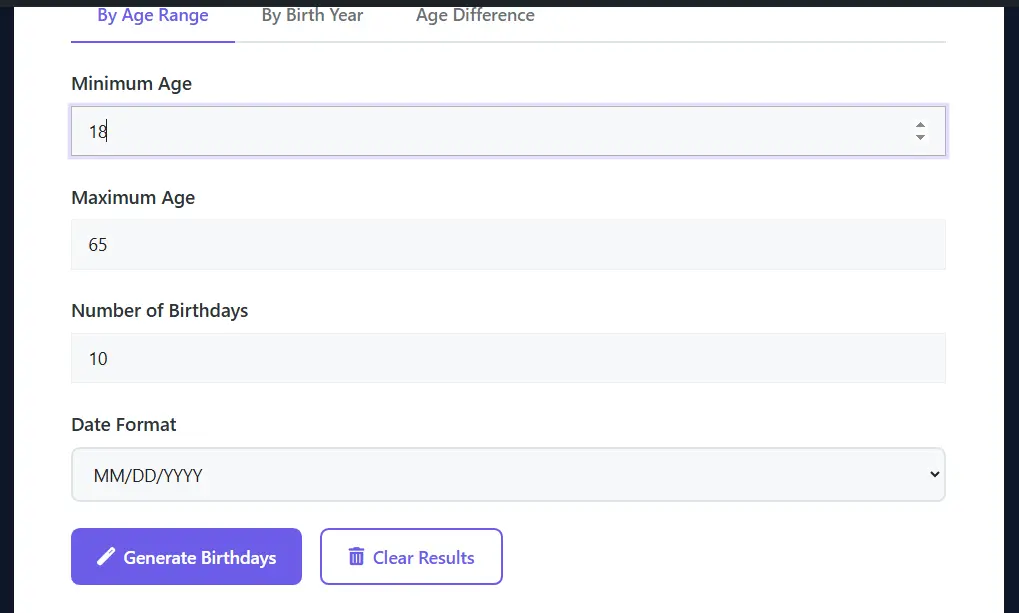
Minimum age, maximum age. How many do you want (1-500)? Date format. Click generate.
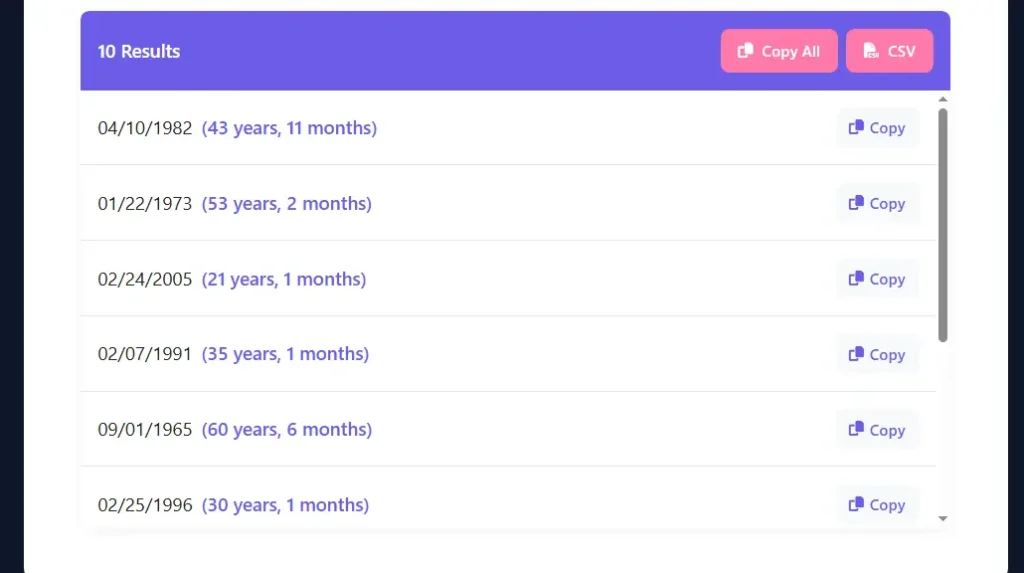
Each result shows the birthday and current age. Want different ages? Change numbers, generate again. Remembers your format choice.
By Birth Year
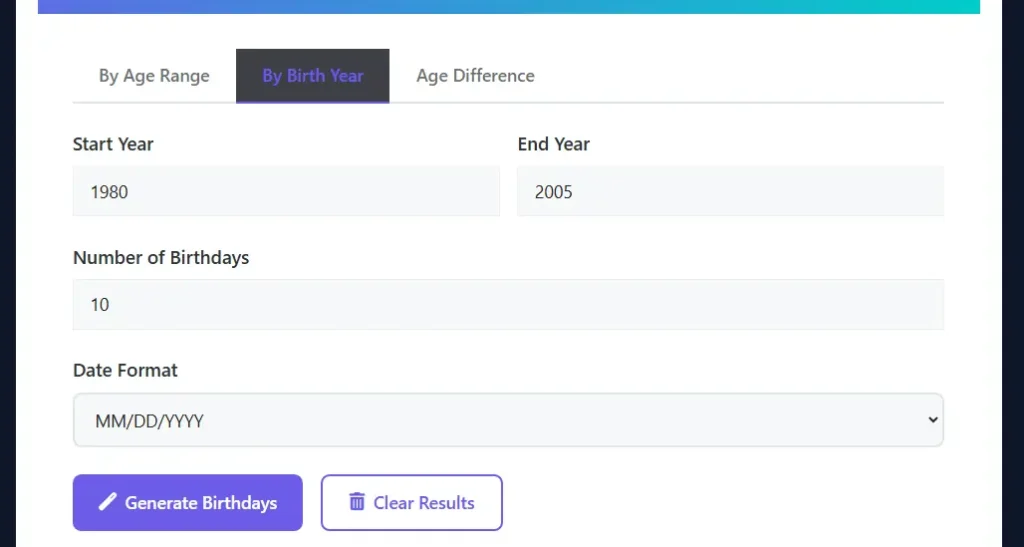
Start year, end year. Quantity. Format. Generate.
Same process, different logic. Better when you’re thinking decades instead of current ages. Was everyone born in the 1990s? Set 1990-1999.
Age Difference
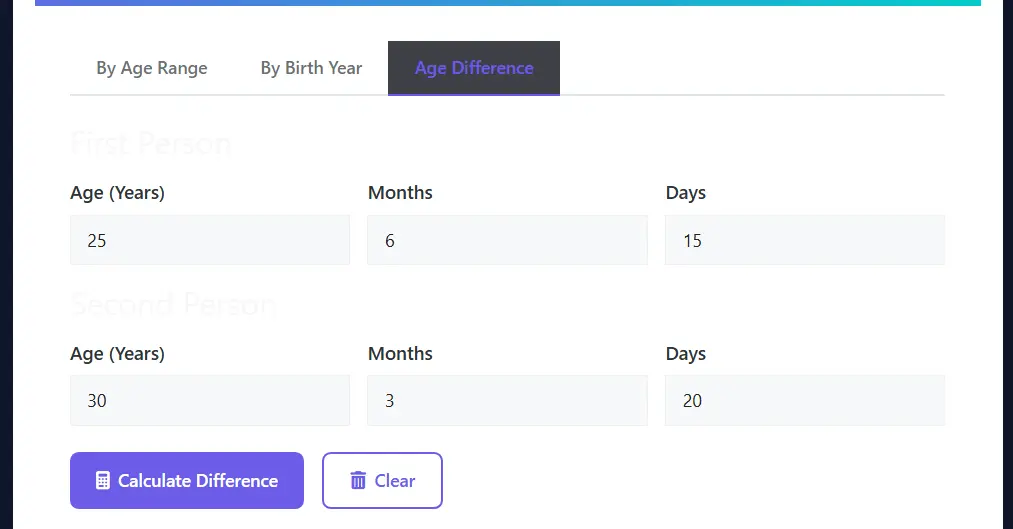
Switch to that tab. First person’s full age (years, months, days). Second person’s full age. Calculate.
Shows who’s older, by exactly how much (years, months, days), and both birthdates.
Export
Individual copy buttons for single results. “Copy All” for everything. CSV for spreadsheets and databases.
CSV imports clean into basically everything.
What It Actually Does
Two-Generation Methods
Age range is simpler to think about. You want college students? Set 18-25. Retirement planning scenarios? 60-70. You’re thinking about who they are now.
Birth year hits different. Need Millennials specifically? 1981-1996. Only Gen Z? 1997-2012. Better when historical context matters or you’re targeting specific generations for research.
Ages Calculated Automatically
Most tools stop at giving you a date. This one shows the exact age immediately—years, months, days. No calculator app, no counting backwards from today, just there.
Testing age verification? You know exactly what age each test account reads as. Writing a character? Check whether their age fits your timeline. It even knows if their birthday has already happened this year or not.
Five Format Options
MM/DD/YYYY if you’re in the US. DD-MM-YYYY for European users. YYYY-MM-DD when you’re importing to databases. “Month DD, YYYY” when you want it readable. Full format with the day of the week included.
Why bother? Because reformatting 50 dates by hand is nobody’s idea of fun. Pick the format once, done.
Bulk Generation That Actually Works
Need 100 birthdays? Type 100, click once. Goes up to 500 per session. Beats clicking generate 500 times.
Database developers use this constantly. Writers with big casts swear by it. Even for 10 birthdays, bulk beats individual.
Age Difference Calculator
Didn’t know I needed this until I had it. Put in two complete ages (years, months, days for both), and get the exact difference. Shows who’s older, generates both birthdates.
Writers nail sibling dynamics with this. Testers check compliance requirements. One of those features you use once and then wonder how you lived without it.
Export Three Ways
Every birthday gets a copy button. “Copy All” grabs everything. CSV download makes a proper spreadsheet file.
That CSV export is clutch for database imports or when your whole team needs the data.
This One’s Actually Different
Look, most birthday generators just randomize dates and call it a day. This one lets you choose between two approaches: generate by current age (give me people who are 25-40 right now) or by birth year (I need people born between 1985 and 2000).
That difference matters way more than it sounds. If you’re testing demographics or user flows, you care about current age. If you’re writing period fiction or need generational context, birth year makes more sense. Plus, it actually knows calendar rules—no February 30th nonsense, leap years handled correctly, all that tedious stuff taken care of.
Age-based works backward from today. Birth year refers to when someone was born, regardless of their current age. Different tools for different jobs.
Who’s Using This Random Birthday Generator
Developers and Testers
Registration forms need test data. Real-looking test data, not “January 1, 2000” copy-pasted 50 times. Different ages, weird edge cases, leap day birthdays—all of it needs testing.
Age verification gates need testing at 17, 18, 21. Insurance calculators change rates by age. Dating apps filter by age. All these need diverse, believable test accounts.
Writers
Character timelines get messy fast. You’ve got three generations in one story, flashbacks, flash-forwards—specific birthdates keep everything straight. Someone born in 1965 saw a completely different world growing up than someone born in 1985. Details matter. Pair specific birthdates with a random character trait generator to build fully fleshed-out characters
Historical fiction especially. Story set in 1944? Your adult characters need birth years that work. Fantasy writers with massive family trees need this to keep centuries of lineage from falling apart.
Game Masters and Players
D&D campaign with 30 NPCs? MMORPG backstory? A wow name generator helps populate your world alongside realistic birthdays. Age adds depth fast. A 25-year-old rogue and a 45-year-old veteran should feel different. Combine age-based realism with a warrior name generator to give your fighters authentic identities. Quick birthday generation populates entire worlds with realistic age spreads.
Privacy People
Too many sites ask for your birthday when they don’t actually need it. Your birthdate is identity information—it can track you across platforms if you’re not careful.
Generated birthday, roughly in your age range, used strategically. Keep a list of which fake birthday goes with which site. Obviously, don’t do this for banks, government stuff, anything legally important. Just for random forum signups and newsletters.
Teachers and Students
The birthday paradox—23 people gives you 50% chance of a shared birthday—is way more fun to demonstrate with actual data than just talking about it.
Stats classes, data analysis homework, and programming practice. Birthday datasets are simple enough to understand but useful for teaching real concepts.
Marketing Teams
Demo environments need realistic-looking customer data. Can’t use real customer info (privacy disaster). Can’t use obviously fake data (looks terrible in demos). Generated birthdays hit that middle ground.
What People Actually Use This For
Software Testing
E-commerce age gates need testing at exact thresholds—17, 18, 21. Insurance sites calculate rates by age. Dating apps filter by age. Education platforms verify minimum ages.
Generate exact ages instead of guessing. Removes the “is this test account actually 21 or 20?” confusion entirely.
Story Writing
Multi-generation family saga? Age gaps need to be realistic. Parents are usually 25-35 years older than their kids. Siblings typically 2-5 years apart. Historical fiction needs birth years matching the era. Writing a fantasy with religious orders or ancient characters? A monk name generator pairs well with historically grounded birth years.”
Generate, export to your reference doc, and keep everything consistent. Nothing kills immersion faster than a character aging wrong. Don’t forget to match your antagonist’s age to their backstory using a villain name generator for a complete profile.
Database Setup
Test environments need data that looks real. Generate 500 birthdays across age ranges, download CSV, and import straight into your database. Testing queries, migrations, and performance—all need populated databases.
School Projects
Probability demos, stats homework, data analysis practice. Birthday datasets work for all of it. Generate controlled data with specific parameters, and analyze however you need.
Why This Random Birthday Generator Works
Actually Accurate
Calendar math gets complicated fast. Leap years, different month lengths, and whether someone’s birthday has passed this year yet. The tool handles it. Every date is valid. Every age is correct.
Invalid test data produces unreliable tests. This removes that problem completely.
Dead Simple
Open, pick settings, and generate. That’s it. No account. No tutorial. No confusing menus.
Works the same on phones as on desktop. Everything adapts to your screen.
Actually Versatile
Developers and writers both use this. Age ranges for testing, birth years for writing. Multiple formats for different regions and technical needs.
Thoughtful design, not feature spam. Everything included has a purpose.
Zero Tracking
Everything happens in your browser. Nothing sent to servers. Nothing logged. Nothing tracked.
Close the browser, it’s gone—unless you saved it. You control the data completely.
Saves Actual Time
Making 100 realistic birthdays with correct ages manually? Hours. This? Seconds. Even one birthday—skipping the mental math saves time and prevents mistakes.
Random Birthday Facts
The Birthday Paradox
23 random people? 50% chance two share a birthday. 70 people? Almost guaranteed. Sounds impossible until you realize 23 people create 253 possible pairs, each with a chance of matching.
Matters for testing because random data sometimes shows patterns that are actually statistically normal. Visualizing birthday distribution across a dataset? A word cloud generator can help make frequency patterns visible at a glance.
Real Birth Patterns
September has more birthdays in many countries (probably from December holiday conceptions). February 29 is the rarest. Holidays have fewer births because of scheduled deliveries.
For most testing, though, evenly distributed random dates work better than copying natural patterns
Generations Are Real
Birth year defines your generation. Baby Boomers (1946-1964), Gen X (1965-1980), Millennials (1981-1996), Gen Z (1997-2012). Each grew up in a completely different era.
Testing apps for specific demographics? Use appropriate birth year ranges so your test data actually reflects real user populations.
Tips That Help
Developers
Test edge cases: newborns, centenarians, leap day birthdays, year boundaries. That’s where date bugs hide. Use CSV export for imports. Match your test data to realistic population age distributions when possible.
Writers
Match birth years to your historical setting. Keep all character birthdays in one reference doc. Use the age difference calculator for sibling and relationship dynamics. Want to add a visual signature or symbol to your character profiles? An Ambigram generator creates stylized name art that works great for fantasy world-building.”
Privacy
Skip memorable dates like 01/01/2000. Track which fake birthday you used where—don’t create patterns that link accounts. Stay roughly near your actual age range to avoid verification problems.
Teachers
Generate datasets before class. Saves time. Birthday data demonstrates probability concepts hands-on. Make multiple datasets with different parameters for comparison.
Frequently Asked Questions
Is it a random Birthday generator?
Yeah, uses standard randomization within your parameters. Each birthday generates independently. Run it twice with the same settings, and you get totally different results.
Legal documents?
No. Never. These are for testing, creative work, and casual privacy only. Using fake info where accurate data is legally required is fraud.
How accurate is age calculation?
Down to the day. Accounts for whether birthdays happened this year yet, handles leap years, calculates exact years, months, and days.
Filter by zodiac signs?
Not yet. You’d filter results manually after generating. Under consideration based on requests
What is the Generation limit of this tool?
500 per session, no daily limit. Run as many sessions as you want. 500 keeps it fast even on older devices.
Does this tool work on phones?
Completely. Fully responsive, touch-optimized. Every feature works identically on mobile.
Data stored anywhere?
Nope. Everything processes in your browser. Nothing transmitted. Nothing logged. Close the browser, it’s gone unless you saved it.
Age range vs birth year—what’s the difference?
Age range is generated for current ages (25-35 means that old now). Birth year is generated for when born (1985-1995, no matter current age). Demographics vs historical context.
Other date formats?
The five formats cover most cases. For custom formats, generate the closest match, then convert with spreadsheets or scripts
Start Generating
Creating realistic birthdays shouldn’t take longer than a few seconds. Testing code, building characters, populating databases, protecting privacy—instant access to random birthdays just makes sense.
Pick age ranges or birth years. Choose quantity. Select format. Generate. Seconds later, you’ve got realistic birthdays with exact ages, ready to copy, download, or use.
One birthday or five hundred. One-time or ongoing. Testing or creative work. Same simplicity for everything. Try it and see.